 Kind
Kindness, always near
A free app for older people and the families who care for them, near or far. Medicine reminders that really ring, a real help button, blood pressure and sugar records, and a family view from anywhere.
- Free forever
- No advertisements
- Seven languages
- Android, iPhone and web
For the older person: one screen, big buttons
Large text, read-aloud, high-contrast colours, and nothing to learn. The family sets it up; the parent just taps.
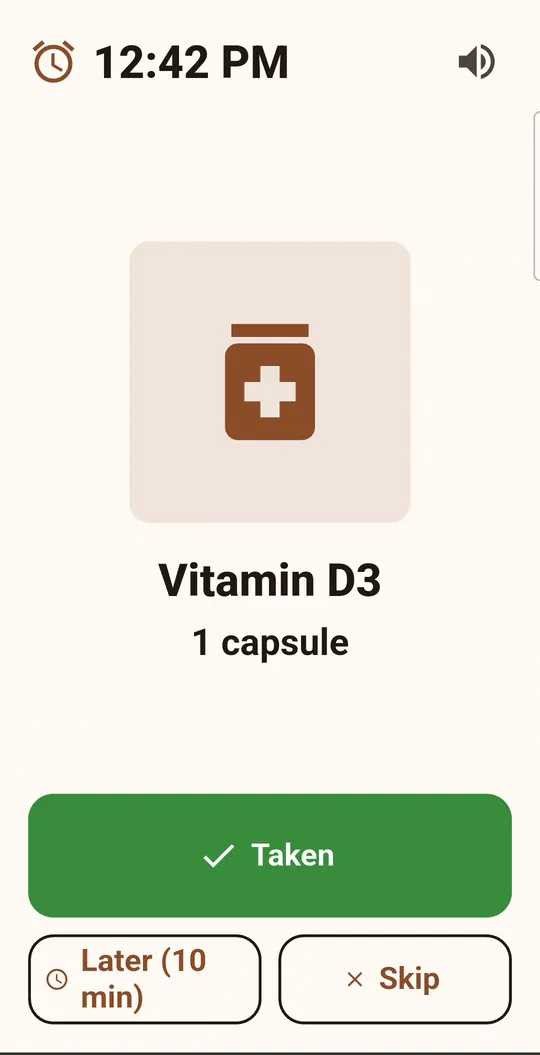
Medicine reminders that really ring
Reminders follow breakfast, lunch, dinner and bedtime, not just the clock. The phone rings, shows the medicine with its photo, and waits for one tap.
- Taken, Later (10 minutes) or Skip
- A son or daughter can record the reminder in their own voice
- The family is told if a dose is missed, and before tablets run out
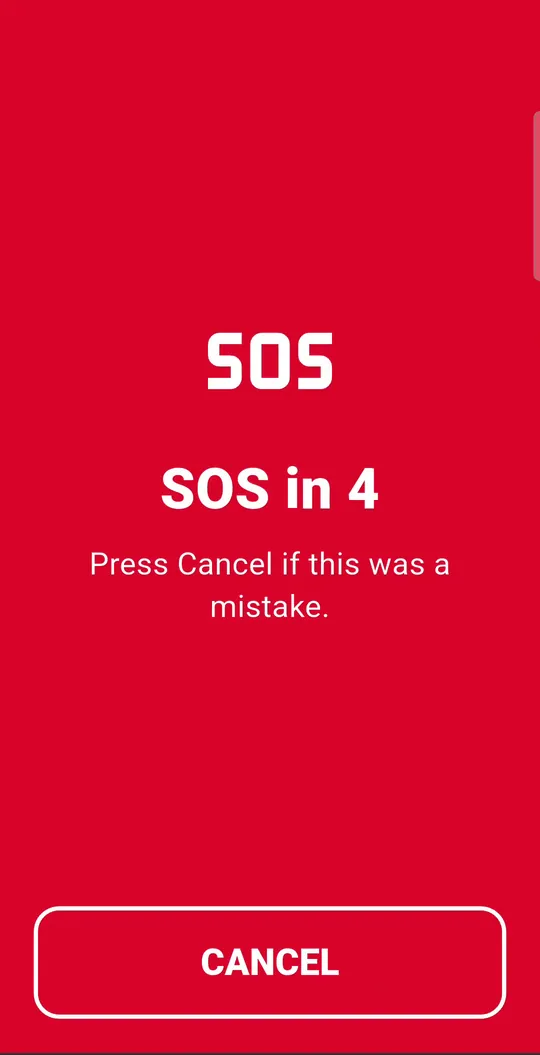
Hold the red button for help
Press and hold for three seconds. The family gets the location at once, and the phone calls the first family member or the emergency number.
- A short countdown, with Cancel, prevents false alarms
- Also works by voice: just say “Help”
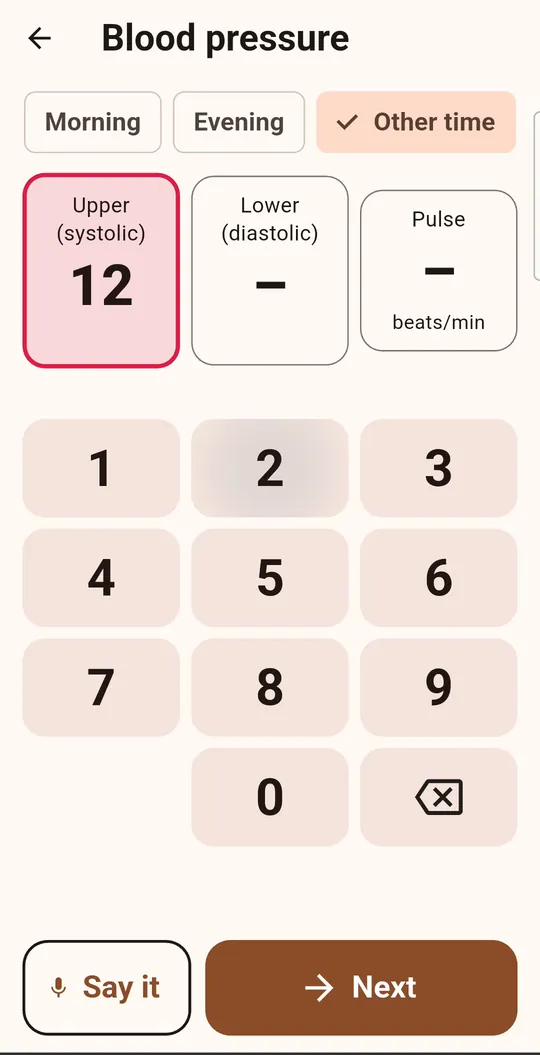
Blood pressure, sugar and more, on a big keypad
Take the reading on your own machine, then type the numbers or say them. KindNear keeps the history, the charts and a report for the doctor. It never measures anything itself.
- BP morning and evening, sugar fasting or after a meal, weight, oxygen, temperature, pulse
- mg/dL or mmol/L, °C or °F
- “How I feel”: pain, mood, sleep and symptoms in a few taps
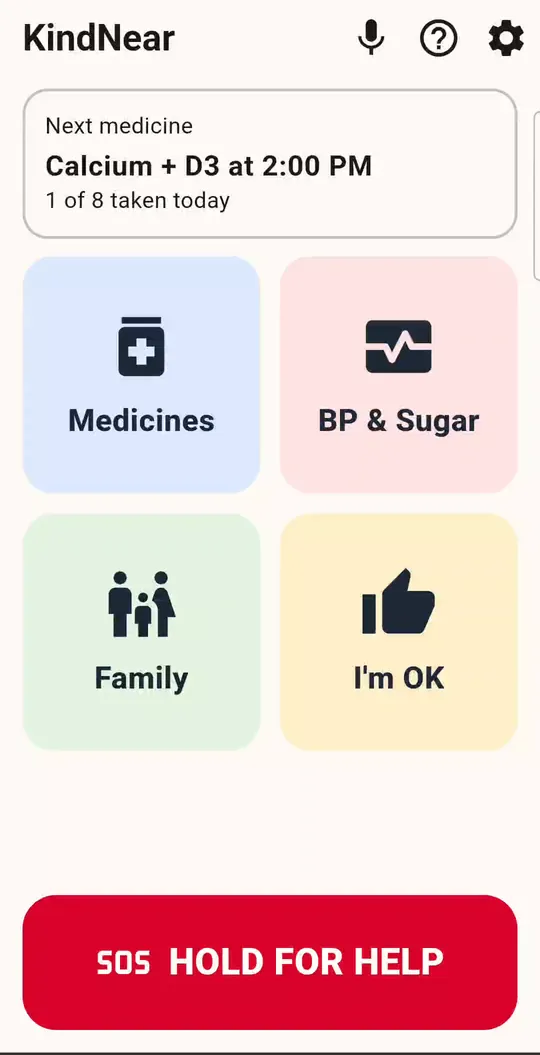
“I’m OK”, once a day
One tap tells the family all is well. If the phone has not been used by the usual time, the family gets a gentle “no activity” alert.
- Big call buttons for each family member
- Voice commands: “Call Rahul”, “Next medicine”, “Did I take my tablet?”
For the family: peace of mind from anywhere
Sons and daughters in another city or country see how the day is going, and hear about it when something needs them.
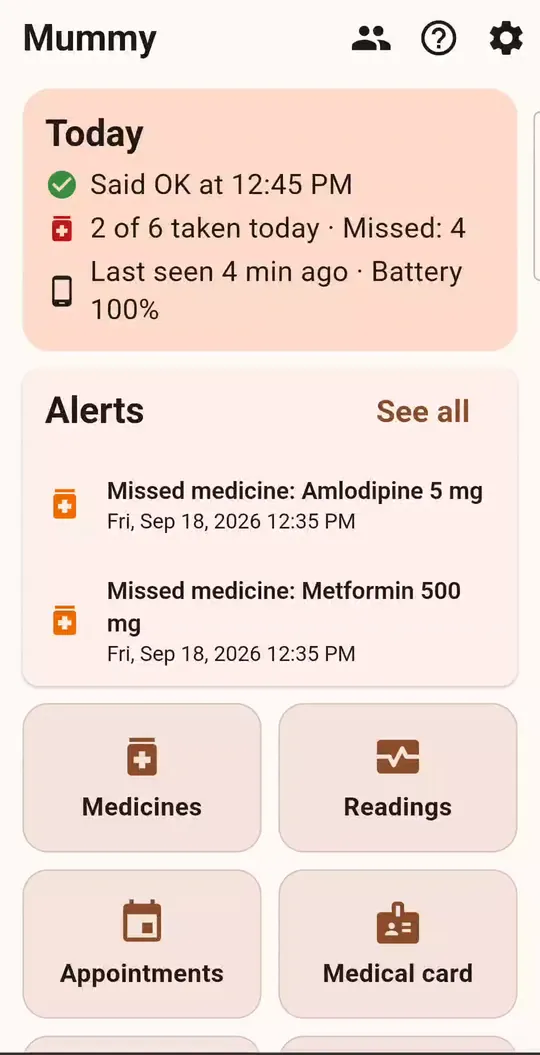
The day at a glance
Said OK, medicines taken or missed, when the phone was last seen, and its battery. The same view works in any browser at app.kindnear.com.
- Add medicines, appointments and notes from your own phone
- Care for two older people; give a nurse or helper a limited role
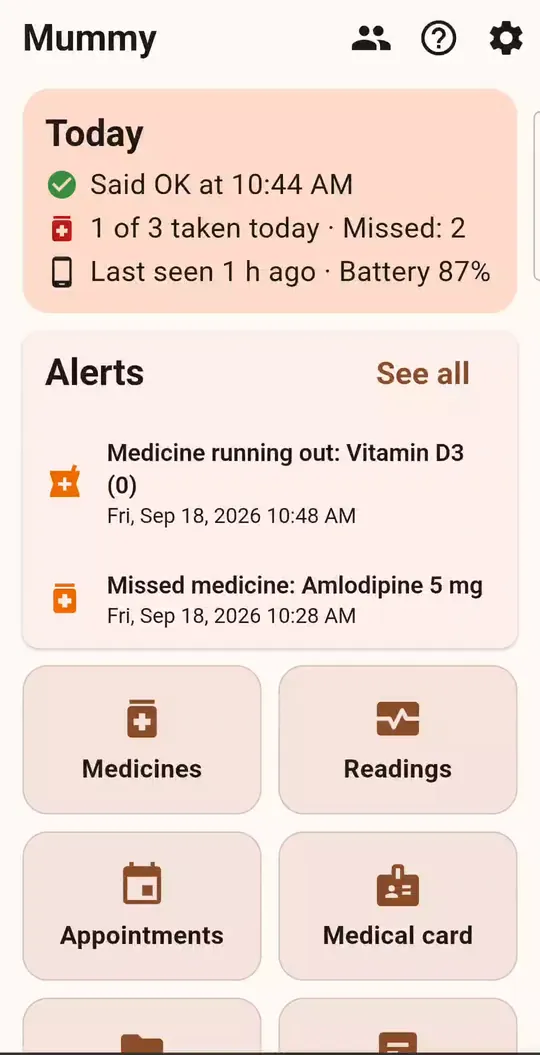
Alerts when it matters
Missed medicine, SOS with a map link, worrying readings, low battery, medicine running out, or no activity by the usual time.
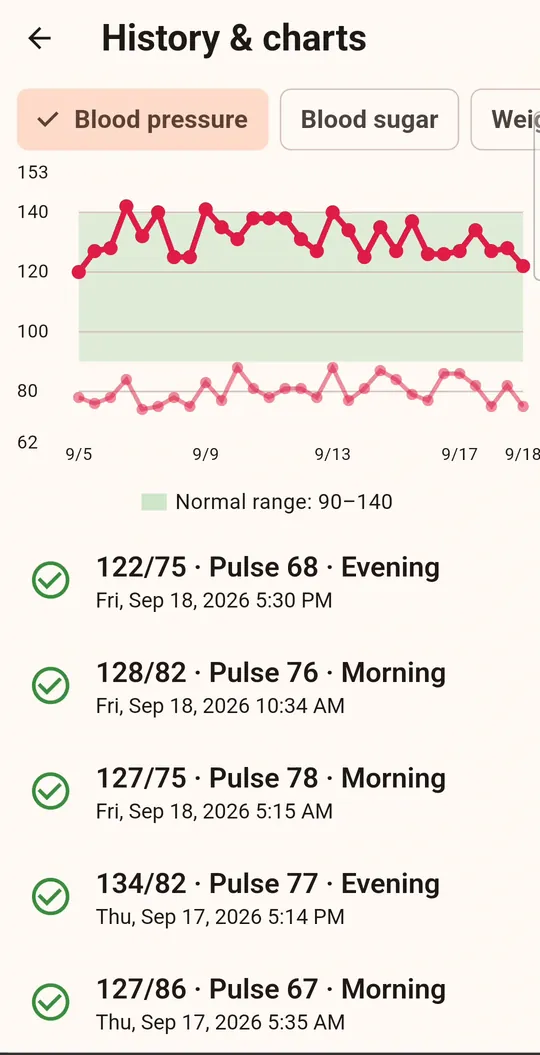
Charts and a report for the doctor
Every reading with its normal range. Before a visit, create a PDF report for any period and share it on WhatsApp.
- Medical card with blood group, allergies and the doctor’s number, printable for the fridge
- A vault for prescriptions, insurance and ID scans
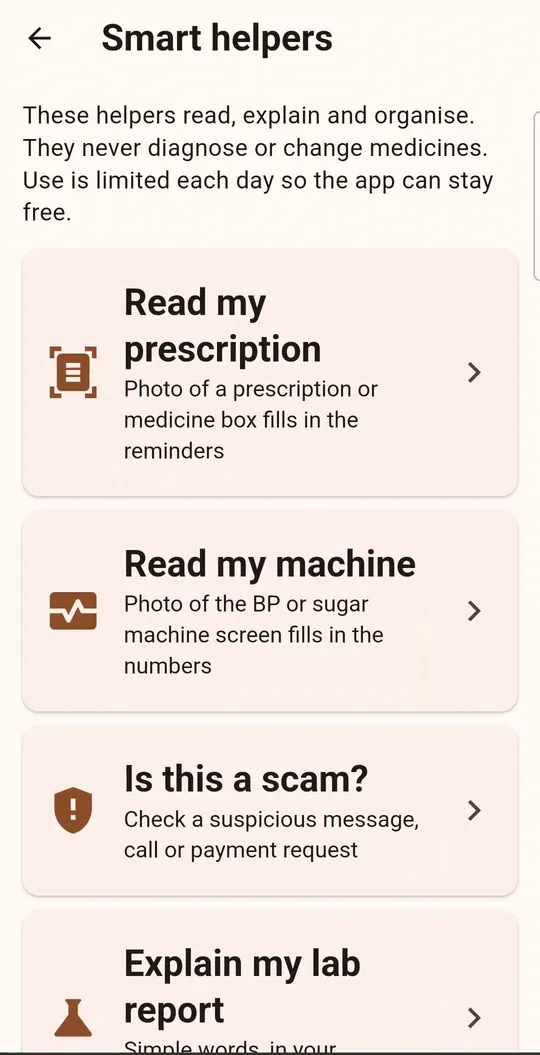
Optional smart helpers
Read a prescription from a photo and fill in the medicines, read the numbers off a BP machine, check a suspicious message for scams, or explain a lab report in plain words.
- You agree before the first use; the rest of the app works without them
- They never diagnose or change a medicine
See it in two minutes
Two short walkthroughs, one for each side of the app.
Set up in three steps
About ten minutes, usually done by a family member.
- Family installs firstChoose “I’m a family member”, create the family and add the older person with their medicines.
- Connect the parent’s phoneInstall KindNear there, choose “This is my phone”, then scan the QR code or type the six-letter code.
- Allow reminders to ringSay yes to notifications and “Alarms & reminders”. That is all; the medicines and reminders arrive by themselves.
Free forever, and private
Nothing to buy
No advertisements, no subscription, no in-app purchases. A small daily limit on the smart helpers keeps it free for everyone.
Your family only
Health information is shared only with the people you invite. It stays on the phone and on our own server in Germany.
Yours to take or delete
Export everything, or delete the data and the account, from Settings at any time.
KindNear reminds, records and connects. It is not a medical device and does not give medical advice. In an emergency, call your local emergency number.
Questions people ask
Is KindNear really free?
Yes. No advertisements, no subscription and nothing to buy inside the app.
Does the app measure blood pressure or sugar?
No. You take the reading on your own machine and type the numbers, or say them. KindNear keeps the record, the charts and the report for the doctor.
What happens when the help button is held?
The family gets the location at once as an alert, and the phone calls the first family member or the emergency number. Letting go early cancels it.
Which languages does KindNear support?
English, हिन्दी, العربية, Français, Español, 中文 and Deutsch, with large text and right-to-left support.
Who can see the health information?
Only the family members you invite with a code. You can export or delete everything from the app. See the privacy policy.
The reminder does not ring. What should I check?
Allow notifications and “Alarms & reminders” for KindNear, and on Samsung phones remove it from “sleeping apps”. More on the support page.